Your AI Agent is Useless Without This
Why MCP is the USB-C of Artificial Intelligence.
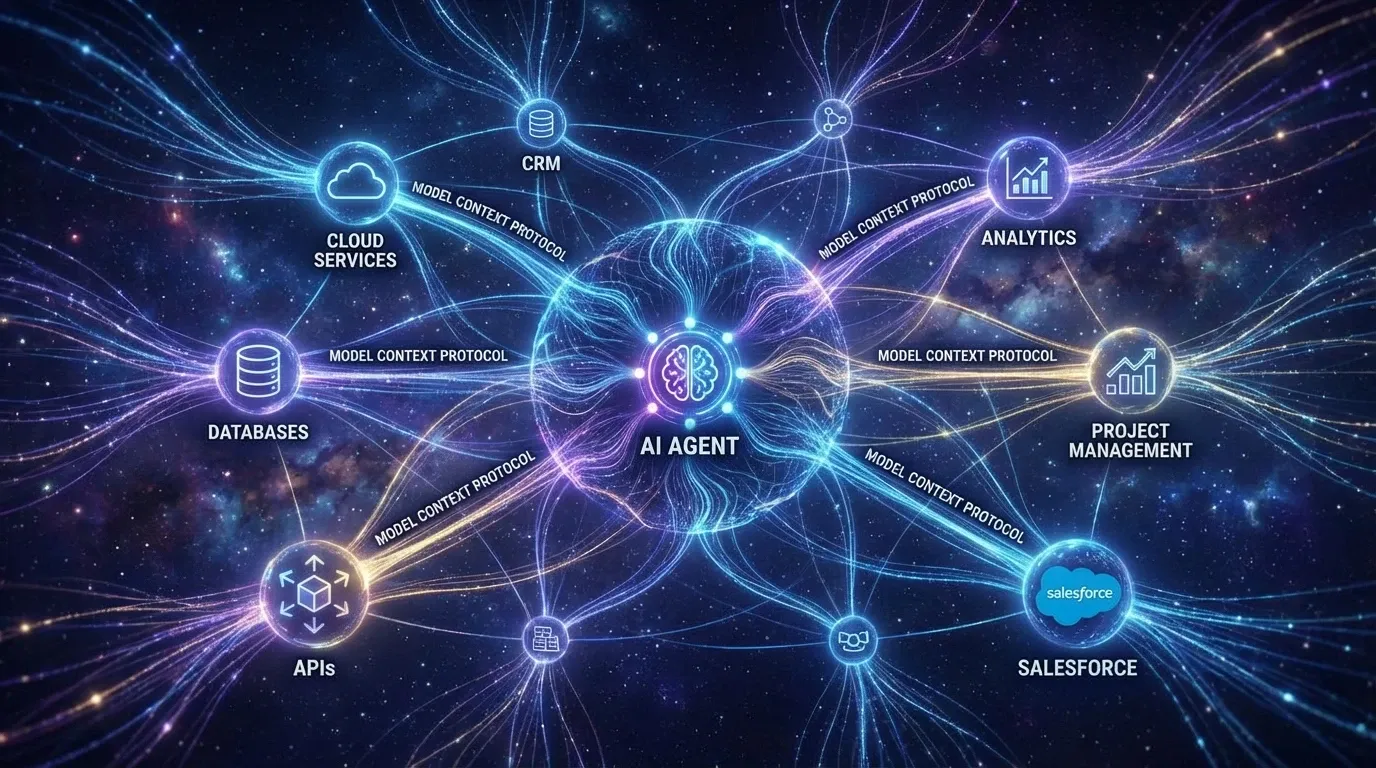
You’ve built an AI agent. Maybe it’s even a good one. The prompts are tight, the model is fast, and the responses feel natural.
But then someone asks it to check Salesforce for a customer record. Or pull the latest Jira tickets. Or search your internal documentation.
And your beautiful agent just… can’t.
This is the integration problem that every AI platform eventually hits. Your agent needs hands. It needs eyes into your actual business systems. Without them, you’re just running an expensive chatbot.
The traditional solution? Write a custom API wrapper for every single service you want to connect. Read their docs, handle their auth, deal with their rate limits, pray they don’t change their endpoints next month. Then do it again for the next service. And the next.
The Model Context Protocol changes this calculus entirely.
What MCP Actually Solves
Think about USB before USB-C. You had Mini-USB, Micro-USB, proprietary Apple connectors, and a drawer full of cables that only worked with specific devices. USB-C didn’t just add a new connector—it established a standard that meant any cable could work with any device.
MCP is doing the same thing for AI tool integrations.
Instead of writing custom code to connect your agent to Salesforce, HubSpot, GitHub, or any other service, you implement the protocol once (or download a pre-built server), and any MCP-compatible agent can talk to it immediately.
The protocol handles the communication layer. You just define what your tools do and what data they need.
Setting Up Multiple Integrations
Mastra has native MCP support through its MCPClient. You can connect both local tools (running as child processes) and remote services (running on their own infrastructure).
Here’s a realistic production setup connecting Google Maps for routing, a weather service, and local Wikipedia search:
import { MCPClient } from '@mastra/mcp';
export const mcpClient = new MCPClient({  servers: {    // Local tool (Stdio)    wikipedia: {      command: 'npx',      args: ['-y', 'wikipedia-mcp'],    },    // Maps & Navigation (Remote/HTTP)    googleMaps: {      url: new URL(process.env.GOOGLE_MAPS_MCP_URL!),      requestInit: {        headers: {          Authorization: `Bearer ${process.env.GOOGLE_MAPS_API_KEY}`,        },      },    },    // Weather Service Integration    weather: {      url: new URL('https://mcp.weatherapi.dev/v1'),      requestInit: {        headers: {          'X-API-Key': process.env.WEATHER_API_KEY!,        },      },    },  },});
The client manages the connection lifecycle, handles process spawning for local tools, and maintains HTTP connections for remote servers. You don’t touch sockets or stdio directly.
Connecting Tools to Agents
Once you have your MCP client configured, giving those tools to an agent is straightforward:
import { Agent } from '@mastra/core/agent';import { openai } from '@ai-sdk/openai';import { mcpClient } from '../mcp';
export const navigationDirectionsAgent = new Agent({  id: 'navigation-directions-agent',  name: 'Navigation & Directions Assistant',  instructions: `You are a helpful navigation assistant that provides route planning and travel advice.    - Always confirm the start and destination locations    - Use Google Maps tools to find optimal routes    - Check weather conditions along the route    - Provide estimated travel times and suggest alternatives if weather is poor    - Include relevant details like traffic, road conditions, and points of interest    - Keep responses clear and actionable`,  model: openai('gpt-5'),  tools: await mcpClient.getTools(), // <--- This is the magic line});
When a user asks: “What’s the best route from San Francisco to Lake Tahoe, and should I be worried about weather?”
The agent reads the available tool definitions, realizes it has access to Google Maps routing and weather forecast tools, executes them with the right parameters, and answers with an optimal route plus current weather conditions along the way.
You didn’t write a single line of Google Maps API code or weather service integration.
Per-User Authentication
There’s a security mistake that’s easy to make here: hardcoding credentials.
If you put one Google Maps API key in your environment variables and call it a day, every user shares the same quota and rate limits. More importantly, if you’re using services that store user preferences (like saved locations or favorite routes), everyone would see the same data. This works fine for demos. It’s a liability in production.
Mastra handles this by letting you create MCP clients dynamically with user-specific credentials:
async function handleUserRequest(userPrompt: string, userCredentials: UserCreds) {  // Create a client for THIS specific user  const userMcp = new MCPClient({    servers: {      googleMaps: {        url: new URL(process.env.GOOGLE_MAPS_MCP_URL!),        requestInit: {          headers: {            // User's specific API key or token            Authorization: `Bearer ${userCredentials.mapsApiKey}`,            'X-User-ID': userCredentials.userId,          },        },      },    },  });
  const agent = mastra.getAgent('navigationDirectionsAgent');
  // Inject tools at runtime  const response = await agent.generate(userPrompt, {    toolsets: await userMcp.getToolsets(),  });
  return response;}
Each user gets their own isolated toolset with their own API quotas and preferences. User A’s saved locations stay private, User B’s route history is separate. This is how multi-tenant SaaS agents work in practice.
Building Composite Tools
Sometimes you need to combine multiple MCP tools into a single operation. Maybe you want to plan a route that factors in both real-time traffic and weather conditions along the way.
You can wrap MCP tools in custom tool definitions:
export const smartRouteTool = createTool({  id: 'smart-route-planner',  description: 'Plans optimal route considering traffic and weather conditions',  execute: async ({ context, mastra }) => {    // Get the raw tools    const tools = await mcpClient.getTools();
    // 1. Get base route from Google Maps    const routeData = await tools.googleMaps_getDirections.execute({      context: {        origin: context.origin,        destination: context.destination      }    });
    // 2. Check weather along the route    const weatherData = await tools.weather_getForecast.execute({      context: { coordinates: routeData.waypoints }    });
    // 3. Return enhanced route with weather warnings    return {      ...routeData,      weatherAlerts: weatherData.alerts,      recommendation: weatherData.severe ? 'Consider delaying trip' : 'Safe to travel'    };  },});
This gives you fine-grained control over exactly how tools interact while still leveraging the MCP protocol for the heavy lifting.
Where This Leads
Writing custom API clients for every service your AI agent needs to talk to was never sustainable. It scales badly, breaks often, and ties your platform to specific implementations.
MCP doesn’t solve every integration challenge—auth is still complex, rate limiting still matters, and not every service has an MCP server yet. But it establishes a foundation that makes building agent platforms significantly less painful.
If you’re architecting an AI system that needs to interact with external services, understanding MCP is probably worth your time.
Resources
Read the Series
- LLM Routing
- Security & Guardrails
- MCP & Tool Integrations (This Post)
- Workflows & Memory